
Miro: your visual workspace

4,4star
19,4K reviews

Rated for 3+
info
5M+
Downloads


About this app
🚀 Miro is a visual workspace for innovation that enables distributed teams of any size to dream, design, and build the future together. With the magic of Miro's Intelligent Canvas™, visualizing concepts, ideas, and solutions as a team can happen anywhere — no dry-erase markers needed. Sync, flow, and feel the connection of working side by side with your team — even in remote, distributed, or hybrid work environments.
Miro’s whiteboard app for tablet and mobile gives you the tools to collaborate with boards that put projects and context all in one place.
👥 Our customers love using Miro’s online whiteboard to:
• Run online meetings and team workshops
• Brainstorm new ideas and designs on a limitless whiteboard
• Edit, annotate and mark up documents and PDFs
• Take digital notes with a stylus (and reduce paper use!)
• Easily collect resources, photos, docs, links, and references
• Plan and manage agile workflows and scrum rituals
• Create user journeys, map processes, and develop personas
• Teach online classes, replacing the classroom blackboard with an online whiteboard
• Create a vision board of ideas and inspiration
Miro allows you to create anytime, anywhere. With over 200+ pre-made templates, a drag-and-drop interface, and no limit on collaborators, working on our whiteboard is fast and fun.
📱With Miro’s mobile app, you can:
• Scan paper post-it notes and convert them into editable digital notes
• Create, view, and edit all your boards
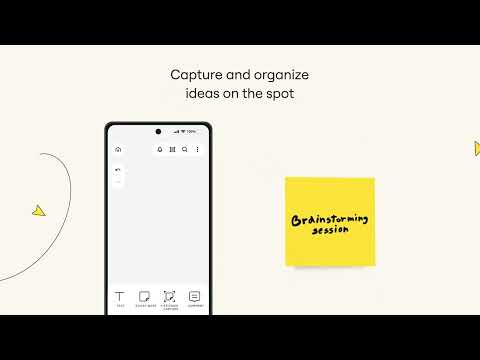
• Capture and organize your ideas on the go
• Share boards publicly or invite team members to edit
• Upload images, pictures, docs, spreadsheets, and more
• Share boards and invite team members to edit
• Review, add and resolve comments
📝 On tablets, you can also use Miro to:
• Draw concepts and sketch new design ideas with a stylus
• Convert pencil or stylus drawings into shapes, notes, and diagrams
• Set up your tablet as the second screen with Zoom or Microsoft Teams
• Create Mind Maps to visualize your ideas
• Use Lasso to select and move sketches, drawings, or text anywhere on the whiteboard
• Use Highlighter to capture the attention of your team during a meeting
Get in touch:
If you enjoy using Miro for collaboration, please leave us a review. If something’s not working right or if you have a question or comment, get in touch with us using this form: https://help.miro.com/hc/en-us/requests/new?referer=store
Miro’s whiteboard app for tablet and mobile gives you the tools to collaborate with boards that put projects and context all in one place.
👥 Our customers love using Miro’s online whiteboard to:
• Run online meetings and team workshops
• Brainstorm new ideas and designs on a limitless whiteboard
• Edit, annotate and mark up documents and PDFs
• Take digital notes with a stylus (and reduce paper use!)
• Easily collect resources, photos, docs, links, and references
• Plan and manage agile workflows and scrum rituals
• Create user journeys, map processes, and develop personas
• Teach online classes, replacing the classroom blackboard with an online whiteboard
• Create a vision board of ideas and inspiration
Miro allows you to create anytime, anywhere. With over 200+ pre-made templates, a drag-and-drop interface, and no limit on collaborators, working on our whiteboard is fast and fun.
📱With Miro’s mobile app, you can:
• Scan paper post-it notes and convert them into editable digital notes
• Create, view, and edit all your boards
• Capture and organize your ideas on the go
• Share boards publicly or invite team members to edit
• Upload images, pictures, docs, spreadsheets, and more
• Share boards and invite team members to edit
• Review, add and resolve comments
📝 On tablets, you can also use Miro to:
• Draw concepts and sketch new design ideas with a stylus
• Convert pencil or stylus drawings into shapes, notes, and diagrams
• Set up your tablet as the second screen with Zoom or Microsoft Teams
• Create Mind Maps to visualize your ideas
• Use Lasso to select and move sketches, drawings, or text anywhere on the whiteboard
• Use Highlighter to capture the attention of your team during a meeting
Get in touch:
If you enjoy using Miro for collaboration, please leave us a review. If something’s not working right or if you have a question or comment, get in touch with us using this form: https://help.miro.com/hc/en-us/requests/new?referer=store
Updated on
Safety starts with understanding how developers collect and share your data. Data privacy and security practices may vary based on your use, region and age. The developer provided this information and may update it over time.


Ratings and reviews
4,4
16,7K reviews

Egor Loporev
- Flag inappropriate
27 January 2025
tried to work using the app, it is a buggy mess, just typing inside a text box is close to impossible because it automatically makes the text bold with underline and duplicates it a bunch of time, don't know if it is to do with the new automatic features to make work easier but at the moment I can't work on my phone so the app is pretty much useful to browse the board rather than edit it.
18 people found this review helpful
RealtimeBoard
27 January 2025
Hi there! Thank you for reporting this. Could you please try reinstalling the app and rebooting your device? In the majority of cases, this solved the issues in the apps. If this didn't help, could you please contact us through this form bit.ly/3sk3Q9f and provide additional details on the case? We'll be sure to investigate it further! Thank you!

Phoebe Piepenbrok
- Flag inappropriate
15 June 2026
I absolutely love Miro, the desktop version is great for getting my ideas mapped. But this app is embarrassingly unpolished. Please fix it. Connections attach to random shapes, and I can't even edit the text on connections I added on desktop. If I want to get a connection with text I have to ask the C-Grade "AI" for one so it can lie to me about its capabilities and get it wrong half the time. The app has a limited set of Miro's features and executes on them worse than most of the competition.
2 people found this review helpful
RealtimeBoard
15 June 2026
Hi there! Thank you for taking the time to provide us with your feedback. We're continually improving our product and will keep doing our best to get things better for you and other users.
We also encourage you to submit your feedback to our Community, please help us become better: bit.ly/3sik0ju. Thank you!

Valeriy Golofaev
- Flag inappropriate
- Show review history
11 May 2026
Offered free trial to try a function I wanted, I jumped on that offer right aeay, then turned out it wasnt working as advertised, I canceled free trial and after some time I got a message they charged me for subscribtion. What is worse, their support doesnt reply, been a day - nothing. So if you want to kerp your money safe never share any card information with this app, or better yet delete your account.
3 people found this review helpful
RealtimeBoard
11 May 2026
Hi there! Thank you for taking the time to provide us with your feedback. We're continually improving our product and will keep doing our best to get things better for you and other users.
We also encourage you to submit your feedback to our Community, please help us become better: bit.ly/3sik0ju. Thank you!
What's new
A side-effect of collaboration is looking for ways to get better. So we’ve taken time to fix bugs and make a few small improvements.
App support
About the developer
Realtimeboard, Inc.
amped-cross-device@miro.com
201 Spear St Ste 1100
San Francisco, CA 94105
United States
+1 207-814-7088


