
Email Aqua Mail - Fast, Secure
Contains ads

4.5star
195K reviews

Rated for 3+
info
5M+
Downloads


About this app
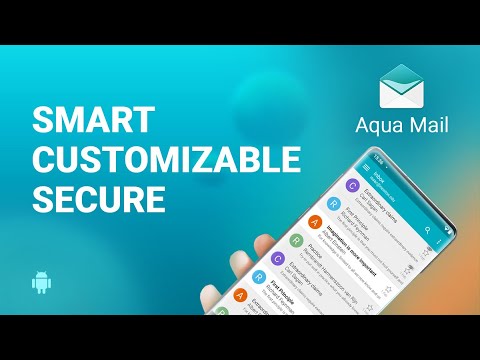
FAST AND SECURE email app for android
Looking for a reliable email app for android to manage all your emails from one place?
Want this imap mail client to be widely customizable, yet easy to use?
Meet Aqua Mail, the #1 secure email client for Android. In the last 10 years, more than 5 million users trusted our imap email for Android to connect and manage their personal and professional email accounts. See why our imap & pop3 email app is continuously at the top of the best email app charts.
EMAIL CLIENT FOR GMAIL, YAHOO, FASTMAIL, GMX, AOL, HOTMAIL, EXCHANGE EMAIL, OFFICE 365, MS OUTLOOK, ICLOUD, WEBMAIL AND MORE
📨 Our free email app for android serves as an imap email manager for any IMAP or POP3-enabled mailbox. Practice seamless inbox management with an email assistant adjusted to your routine and use 300+ features like a rich text editor, smart folder, calendar sync, end-to-end encrypted email, and more.
💡SMART INBOX WITH INTUITIVE UI
On your busiest days, the last thing you want is a frustrating and hard-to-use inbox mail client. Our mail application is optimized for fast email replies, easy reading (swipe to go through emails), and simple access to tons of handy features with one hand.
🔒SECURE & PRIVATE
From its very inception, security, and privacy have been Aqua Mail’s top priorities. Our private and secure mail client does not collect and store your passwords, emails, or private message content.
Our secure email client uses the more secure OAUTH2 login method when adding Gmail, Yahoo, Hotmail, and Yandex accounts. Extra layers of security are provided with the latest encryption protocols - SSL hardening, SSL certificate tracking, and DKIM and SPF validation.
📩 MANAGE ALL EMAILS YOUR WAY.
When we engineered our email client for android we put customization as one of our main goals. After a decade of advancements, new intuitive features & settings, we can say that Aqua Mail is one of the most customizable email clients on Android mobile phones and tablets. Features include:
• Manage accounts and mail receiving - adapt the app to your daily routine
• Look and feel settings - swipe function, quick select all, press volume keys to adjust text size, and more tricks
• Rich text editor - fonts, colors, attachments, quoting customizations, and more styling and formatting
• Dark Theme
🌎AVAILABLE IN 20 LANGUAGES
Unlike other IMAP mail client apps, Aqua is available in 20 languages. So, there is a huge chance you will use this email app in your native language.
🗨️EASIER COMMUNICATION & ORGANIZATION
Aqua Mail works with third-party apps such as Light Flow, Enhanced SMS & Caller ID, Tasker, and more so you can communicate and schedule tasks from one place.
📲ADVANCED FEATURES
• Smart folder - unify & organize all messages from different accounts
• Contacts and Calendar Sync for Exchange and Office 365 - compatible with any Calendar app or widgets
• Home screen widgets - check your priority emails at a glance
• Android Wear Smartwatch integration - go through your emails directly from your wrist and reply via voice input
• Save your emails as PDF
• Unique Signature support - attach a different signature to each account (images, links, text formatting, HTML signature)
• Back up/restore settings on the device, via the cloud (Dropbox, OneDrive, Google Drive), or a file
• Battery saving options
• Email notifications
☑️UNLOCK ALL PREMIUM FEATURES
• Manage unlimited email accounts
• End-to-end Encryption - use S/MIME certificates to send/receive signed or encrypted emails and prevent phishing threats and data leaks
• Push for Exchange - immediate email delivery
• Manage Filters for Outlook
• Email identities - unlimited aliases per account
• Move messages between folders
• Back up your Emails
• Open & Save EML files
• Priority notifications
• Delete folders
• Remove ads
OS: Android 7 and up
Updated on
Safety starts with understanding how developers collect and share your data. Data privacy and security practices may vary based on your use, region, and age. The developer provided this information and may update it over time.

No data shared with third parties
Learn more about how developers declare sharing

This app may collect these data types
Personal info, App activity and 2 others

Data is encrypted in transit

Data can’t be deleted
Ratings and reviews
4.5
180K reviews

Sergey Balasev-Samarski
- Flag inappropriate
- Show review history
June 2, 2025
Probably the best Android email client app! There are a few important issues: a very slow search and a bad notification system. When notifications are set to display all emails, when a new email arrives, the app displays a notification with text "+xyz more emails..." on both your phone and your watch, instead of a notification with the sender and subject of the new email. This makes the app practically unusable with a smart watch. Besides those usability issues, the app is great.
126 people found this review helpful
Aqua Mail Inc
June 2, 2025
Hello Sergey. The issue is likely related to Android 15’s new battery optimizations, which may affect background activity. Aqua Mail hasn’t changed how notifications or sync works. Please ensure battery and background restrictions are disabled for Aqua Mail.

Alex Shorey
- Flag inappropriate
July 1, 2026
I tried this app and at 1st I thought it would be ok. But then ever few emails I read suddenly an ad just takes over my whole phones screen. The Price is far too much a month. All I want too do is read my emails NOT get ads every few times a day. Which then I can't close the app or do anything until the ad finishes or just close the app. If want hassle free Email app then DO NOT USE THIS APP
Aqua Mail Inc
July 2, 2026
Hello Alex. Premium features, improved privacy, and an ad-free experience are available after purchase. Payment is optional, you can try the ad-free trial first. We also offer one-off purchase options on our website, aqua-mail.com.

Adam Varney
- Flag inappropriate
- Show review history
June 18, 2026
The app still crashes all the time, for the fourth update on the bounce. All the support team ask you to do is send a log report but then the next update doesn't fix the problem either. After years of crash-free usage I expect that I'll just have to accept that the app is buggy now. Edited to add that the latest update has brought consistent Hotmail issues (*again.)
9 people found this review helpful
Aqua Mail Inc
June 19, 2026
Hello Adam. This sounds like an issue for our customer support. If you haven’t already contacted them, you may do so at support@aqua-mail.com.
What’s new
Thank you for using Aqua Mail! In the latest version of Aqua Mail, we've made the following improvements:
* Automatic detection of email account types when adding a new account
* Various bug fixes and stability enhancements
We continue to improve the app to provide a smoother and more reliable email experience.
* Automatic detection of email account types when adding a new account
* Various bug fixes and stability enhancements
We continue to improve the app to provide a smoother and more reliable email experience.
App support
About the developer
Aqua Mail Inc
support@aqua-mail.com
4501 Mission Bay Dr Ste 3A
San Diego, CA 92109-4926
United States
+1 858-366-5551


