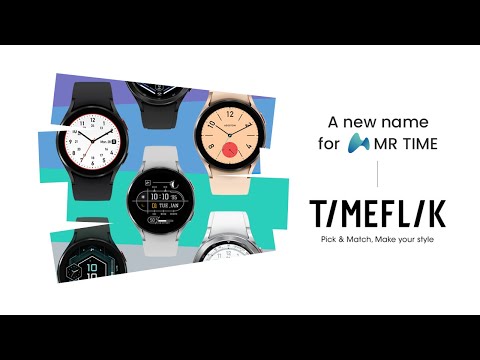

TIMEFLIK Watch Faces
Contains ads

3.7star
68.6K reviews

Rated for 3+
info
10M+
Downloads


About this app
The best smartwatch watch face marketplace with over 2 million watch faces, the most in the world.
Galaxy Watch 7, 8 Series and All Wear OS 6+ devices Official Support!
If you’re using a smartwatch with Wear OS 6, please go to My Page > Settings to switch to the new version.
INSTALL OUR WATCH APP!!! Set TIMEFLIK watch app in your watch screen to send watch faces properly.
⌚︎ Full Watch Face Format Support
Offers customizable features and improved battery-efficient WFF(Watch Face Format) designs.😎
⌚︎ One-Tap Application
Change watch faces instantly with one button, no need for a clunky companion app.
⌚︎ Top Designers
Discover stunning designs by over 50 professional designers.
⌚︎ Design your own watch faces.
Anyone can be a designer with TIMEFLIK free templates!
Customize with your photos or free templates like hands, subdials, battery status, even health features; steps, weather and UV index!
⌚︎ Fresh Styles Daily
Upgrade with a subscription for unlimited access to all watch faces.
Enjoy your first year's subscription for just $19.99 (a $71.99 value)
Google Play's Best for Wear Winner 👏
[How to use?]
1. Install our watch app.
- Google Play : Wear OS by Google / Samsung Galaxy Watch 4, 5, 6, 7, Ultra, 8, 8 Classic
2. Set TIMEFLIK as your watch face.
- Go to the Wearable app > Watch faces > and choose Timeflix from the "Downloaded" list.
[Health Connect Permission Request]
TIMEFLIK requests Health Connect permission from your mobile device to offer these features:
1. Check your step count directly on your watch face. Real-time activity tracking helps you monitor your health and stay motivated.
2. Enjoy dynamic design updates (e.g., color changes or animations based on your step count) using step data.
TIMEFLIK uses Health Connect data only for watch face information and does not use it for ads, data sales, or syncing with incompatible platforms. Access is limited to read-only StepsCadence/Steps, and you can manage or delete permissions in the app settings.
NOT Supported :
Huawei OS (Huawei Watch GT/GT2)
Xiaomi OS (Amazfit GTS / Pace / Bip / ... )
FitBit
Garmin
SUPPORTED:
Wear OS by Google
Samsung Galaxy Watch8 / Watch8 Classic
Samsung Galaxy Watch7 / Watch7 Ultra
Samsung Galaxy Watch6 / Watch6 Classic
Samsung Galaxy Watch5 / Watch5 Pro
Samsung Galaxy Watch4/Watch4 Classic
Asus Gen Watch 1, 2, 3
CASIO Series
Fossil Q Series
Guess Wear
Huawei Watch 2 Classic/Sport
Huawei Watch
Hublot Big Bang e
Mobvoi Ticwatch Series
Moto 360 Series
New Balance Run IQ
Oppo Watch
Polar M600
SUUNTO 7
Verizon Wireless Wear24
[Available in Apple watch? / What about Wear OS Watches not in the list?]
TIMEFLIK Android app has to be synced with TIMEFLIK Wear OS/Tizen watch app. So if you don’t have both Android phone + Wear OS/Tizen smart wearable, please understand its feature will be limited.
[Access Permission Request(Optional)]
Location: To show weather information precisely based on a location.
Health Connect: Permission to use StepsCadence/Steps is required to display step counts from the mobile device on the watch face.
Storage: To send watch faces or read and write files in smartphones and SD cards.
[Disclaimer]
This app is unavailable on the smartwatch below Wear OS 2.0.
Mobile app installation is necessary for smartwatches powered by Wear OS 2.0. or higher.
Some functions of the smartwatch app require interaction with the mobile app.
When logging in to the smartwatch app, check the passcode on the mobile and enter it.
Galaxy Watch 7, 8 Series and All Wear OS 6+ devices Official Support!
If you’re using a smartwatch with Wear OS 6, please go to My Page > Settings to switch to the new version.
INSTALL OUR WATCH APP!!! Set TIMEFLIK watch app in your watch screen to send watch faces properly.
⌚︎ Full Watch Face Format Support
Offers customizable features and improved battery-efficient WFF(Watch Face Format) designs.😎
⌚︎ One-Tap Application
Change watch faces instantly with one button, no need for a clunky companion app.
⌚︎ Top Designers
Discover stunning designs by over 50 professional designers.
⌚︎ Design your own watch faces.
Anyone can be a designer with TIMEFLIK free templates!
Customize with your photos or free templates like hands, subdials, battery status, even health features; steps, weather and UV index!
⌚︎ Fresh Styles Daily
Upgrade with a subscription for unlimited access to all watch faces.
Enjoy your first year's subscription for just $19.99 (a $71.99 value)
Google Play's Best for Wear Winner 👏
[How to use?]
1. Install our watch app.
- Google Play : Wear OS by Google / Samsung Galaxy Watch 4, 5, 6, 7, Ultra, 8, 8 Classic
2. Set TIMEFLIK as your watch face.
- Go to the Wearable app > Watch faces > and choose Timeflix from the "Downloaded" list.
[Health Connect Permission Request]
TIMEFLIK requests Health Connect permission from your mobile device to offer these features:
1. Check your step count directly on your watch face. Real-time activity tracking helps you monitor your health and stay motivated.
2. Enjoy dynamic design updates (e.g., color changes or animations based on your step count) using step data.
TIMEFLIK uses Health Connect data only for watch face information and does not use it for ads, data sales, or syncing with incompatible platforms. Access is limited to read-only StepsCadence/Steps, and you can manage or delete permissions in the app settings.
NOT Supported :
Huawei OS (Huawei Watch GT/GT2)
Xiaomi OS (Amazfit GTS / Pace / Bip / ... )
FitBit
Garmin
SUPPORTED:
Wear OS by Google
[Available in Apple watch? / What about Wear OS Watches not in the list?]
TIMEFLIK Android app has to be synced with TIMEFLIK Wear OS/Tizen watch app. So if you don’t have both Android phone + Wear OS/Tizen smart wearable, please understand its feature will be limited.
[Access Permission Request(Optional)]
[Disclaimer]
Updated on
Safety starts with understanding how developers collect and share your data. Data privacy and security practices may vary based on your use, region, and age. The developer provided this information and may update it over time.


Ratings and reviews
3.7
54.8K reviews

Conor Fraser
- Flag inappropriate
May 25, 2026
No longer a fan. The app no longer works consistently and has several notifications about watch faces and doesn't take you to them. A watch face I got a few years ago is no longer available for me to use as its over 6 months ago now, so no longer shows up in owned. Free ones require ads to be watched which cannot be closed most times and then forces you to the playstore or other apps. After that, don't get the free watch face. For this reason I couldn't see myself paying for the subscription.
2 people found this review helpful

Patricia Corinna
- Flag inappropriate
May 11, 2026
I used to love this app even with the ads. With the newest app update I lost all my liked, saved and created watch faces, and I also updated my watch and even though my watch is connected to my phone, the app doesn't find it. The watch also doesn't give me the option to add it as a watch face anymore. Really sad and disappointing. I hope this can be fixed..

marcel octavian
- Flag inappropriate
May 5, 2026
the software couldn't see my connected watch whatever I do. the watch is connected to phone, both (watch and phove) apps installed, but I can't send any designed face to the watch. support only on Chinese, no way to use it.
1 person found this review helpful
What’s new
- Bug fixes and stabilization
If you have any questions, please contact us by the following email :)
(help@apposter.com)
If you have any questions, please contact us by the following email :)
(help@apposter.com)
App support
phone
Phone number
+8216669015
About the developer
(주)앱포스터
help@apposter.com
대한민국 서울특별시 마포구
마포구 성암로 189, 7층 705호 (상암동,중소기업 DMC 타워)
03929
+82 10-8427-0624


